

ProGramerly. Your whole workstation, set up.
Our flagship software. One free desktop app that provisions a complete development environment on Windows, macOS and Linux, keeps it in sync, and watches the machine from the tray — with AEDi running locally, not in someone else’s cloud.

Tick it. Install it. Walk away.
New laptop, new hire, new project — the hours lost to setting up a machine are hours not spent building. ProGramerly turns that into one run.
Pick
Choose a profile or tick tools from a catalogue of 140+ in 22 groups.
Predict
It forecasts the run first — likelihood, minutes and disk — before anything installs.
Install
One click. winget, Homebrew and npm do the heavy lifting; you walk away.
Watch
AEDi stays on guard in the tray — locally, offline-capable, on your machine.
Your machine, seen and unseen.
More than an installer: a control room for the whole workstation.
Your machine in 3D
Five strata, 26 segments, live — drag it.
Knows the run first
Likelihood, minutes and disk — and it learns.
All of it, as a graph
Processes, ports and services, mapped.
Say it, get it
venv, uv, conda, Node and Compose.
Local AI, offline
Ollama-compatible, CPU-ready, private.
One action per row
End, restart, disable, restore.
Page to text
OCR, vision and PDF extraction.

Free. Everywhere you code.
Native builds for the three desktops your team actually runs — including ARM and a portable Windows build for locked-down machines.
Free to download and use. Releases are published openly on GitHub and announced on ionity.digital.
FANZi IO-nity 4.5.0. Your PC, cool and lit.
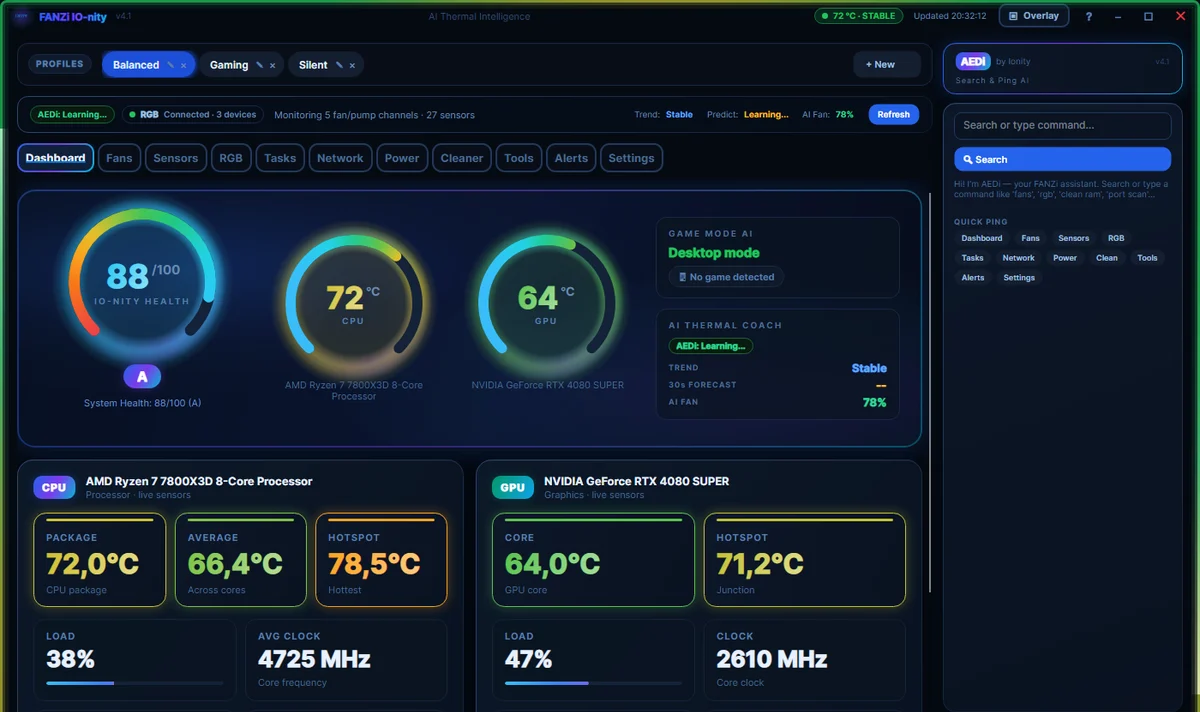
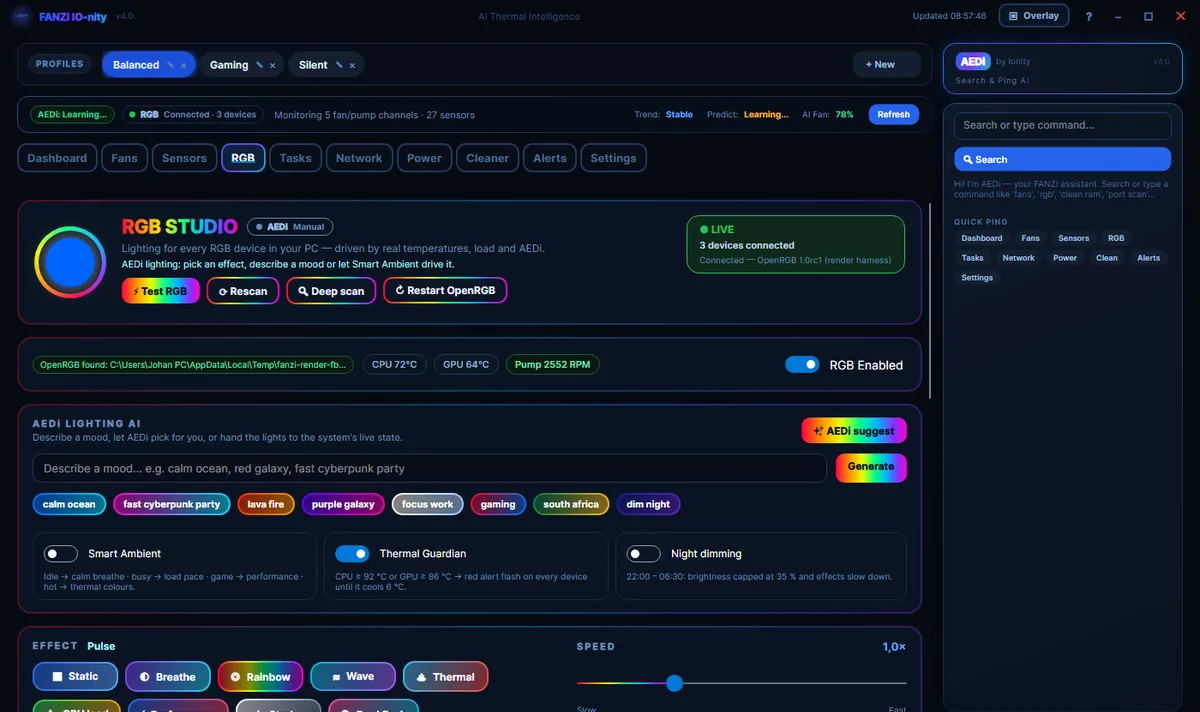
Free AI thermal intelligence for Windows, macOS, Linux: smart fan curves per sensor, RGB Studio with AEDi Lighting AI running offline, Overlay Studio, a deep hardware scan that cross-checks OpenRGB against Windows, Typing FX that turns every keystroke into light, a Thermal Bench that scores your cooling, the new AEDi Cooling Fingerprint that learns your cooler and tells you when it needs cleaning, the AEDi Self-Doctor that debugs and repairs FANZi by itself, and live system health — all on one heartbeat. It is the tool that holds the fan driver for ProGramerly.
Windows 10 · 11
macOS 12+
Linux
Open source (MIT License), free to use · source code · © 2018–2026 Ionity Global (Pty) Ltd. Verify downloads against the SHA256SUMS files. Code signing policy: free code signing provided by SignPath.io, certificate by SignPath Foundation (applied for; current Windows builds are not signed yet). New in 4.5.0: AIO pumps are detected (name, USB cooler, RPM signature or your own pick) and protected - read-only by default, never driven by AI Auto-Fan; system fans on the dashboard with a group slider, Apply all and All to Auto; RGB coexistence - when a vendor lighting app (Aura, Mystic Light, RGB Fusion, Polychrome, iCUE, SignalRGB) is running, FANZi leaves RAM and onboard lighting to it and lights the rest; zone segments with five patterns; Apply / Revert, a Simple view and one Auto switch; calmer AEDi lighting. macOS builds are not notarised yet: right-click the app → Open the first time.
The rest of the Ionity stack.
ProGramerly is the flagship. Around it sit the tools we use on every engagement — and the custom software we build for clients.
Set up in one run. Free.
Grab ProGramerly at ionity.digital, download FANZi IO-nity 4.5.0 above — or tell us about the software your business needs and we’ll build it.

